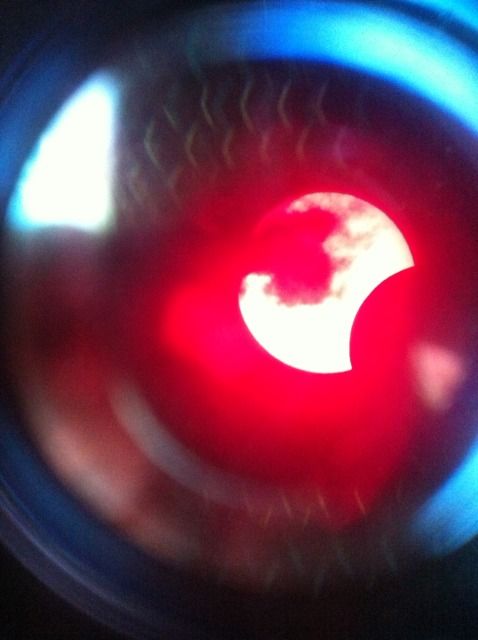
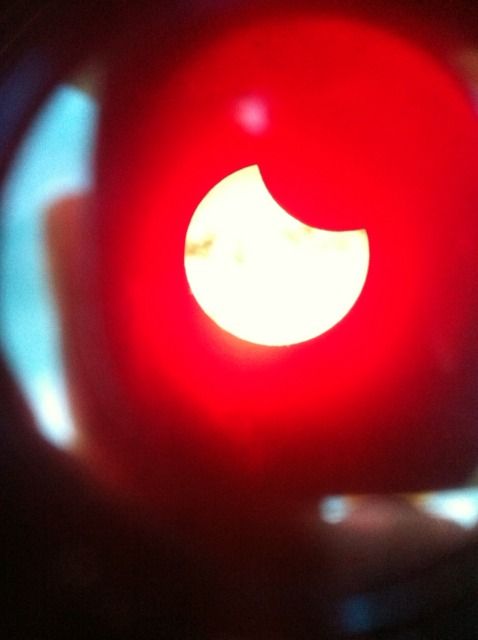
I fired up the laptop and the inverter and the inverter bit the dust. I was able to get the scope aligned and tracking thanks to a gracious 4 minute long sucker hole. With the scope tracking well off the power tank, I tried to tackle the problem of the power inverter. I plugged it in straight to my car and started it, but the inverter was toast. This was unfortunate, I was not able to do any imaging and there was not a power plug in 300 yards of me. Literally burning daylight, I opted to stay at that location and try to image afocally with the iphone camera. Not the best, but it did not let me walk away empty handed. As it turned out, the pics that I got were all I was going to get this evening. A cloud bank rolled in and blocked my solar view all the way through sunset. I was bummed, but even the crappy afocal pics were pretty surreal. Worth it? You bet!
Sunday, May 20, 2012
Partial solar eclipse, 5/12
Well I woke up this morning and took a look at the oklahoma meso-net satellite image wondering if I would be able to see the partial solar eclipse today. I was hopeful because despite a bad forecast, some folks were predicting a clearing of central oklahoma by the time of first contact. I sat on the edge of my seat all day, and around 1805 local, I saw the first blue sky patches. My original intent was to join the fine folks at the OKCAC for their viewing at windsurfer point on lake Hefner. Due to low gas in the tank, I opted for a more local viewing area. I drove out to my local lake and parked near the water treatment plant. This location had the best view of the western horizon.
I fired up the laptop and the inverter and the inverter bit the dust. I was able to get the scope aligned and tracking thanks to a gracious 4 minute long sucker hole. With the scope tracking well off the power tank, I tried to tackle the problem of the power inverter. I plugged it in straight to my car and started it, but the inverter was toast. This was unfortunate, I was not able to do any imaging and there was not a power plug in 300 yards of me. Literally burning daylight, I opted to stay at that location and try to image afocally with the iphone camera. Not the best, but it did not let me walk away empty handed. As it turned out, the pics that I got were all I was going to get this evening. A cloud bank rolled in and blocked my solar view all the way through sunset. I was bummed, but even the crappy afocal pics were pretty surreal. Worth it? You bet!
Sunday, May 13, 2012
Couple solar images from today..
Man, the sun was amazing today visually. I wish I could have captured the eyepiece view. AR1476 was huge, and prom activity was pretty nice too. I didn't break out the mallincam, just stayed with the tucsen imager. Here are the best from today's lot. Solar activity like this has me drooling to see what I can accomplish with the resolution of a monochrome imager such as the Imaging Source DMK41. I think I have reached the limit of performance with the Tucsen imager.
Saturday, May 12, 2012
Dammit Celestron!
Now that I have enough money for a CG-5 advanced goto equatorial mount, it appears they are discontinued. Huge backorder at some retailers, complete removal from the product line at others. Nothing to replace it apparently but whispery rumors of a new and improved (and likely more expensive) version.
This sucks, and it leaves me in the same predicament as when I wanted a neximage cam.
So I have decided to take the plung and plop down 630 dollars for the DMK41 camera by Imaging Source. It is a monochrome camera, so I will get full resolution during solar imaging. I will still need to purchase a LRGB filter set and wheel for doing color planetary work. More of a pain in the butt, but the images look much better in RGB imaging.
Looking forward to upping my game with planetary/lunar/solar imaging. Will buy equatorial mount and autoguiding setup come tax time next year.
Saturday, May 5, 2012
Public Solar Viewing at Science Museum Oklahoma
Had a great time today. The Oklahoma City Astronomy Club held a public solar viewing session today as part of the "Space Day" festivities at the Science Museum Oklahoma (formerly known as Omniplex). I brought out the Lunt 60 to participate in the event. Solar activity and weather were cooperative, and it was worth the sunburn and heatstroke to see the wow factor as kids and adults alike viewed the sun in both white light and hydrogen alpha filtered scopes. A good time was had by all, and the sun was ablaze with a very large feathery hedgerow prom that lasted through the morning into early afternoon. It was also a pleasure to meet the other OKCAC members and I can't wait to do it again!
Monday, April 30, 2012
C'mon Celestron, how bout some native USB support
So one of my projects over the weekend was to extend the cord on my NexStar 8SE's hand controller. It uses a 6pin conductor, so I had to run to radio shack for the right parts (25' cord part # 279-422 and 6c inline coupler part # 279-007, 21.14 total price after tax). It worked wonderfully, eliminating the "snapback" problem of the short, coiled cord that comes with the scope. Feeling adventurous, I decided to tackle computer control. I installed the nexremote software that came with my scope (version 1.6.14) and plugged in my generic usb/serial adapter. To my surprise, the software found my scope and it worked beautifully. Next I decided that I wanted to use a third party starmap program, Stellarium, to control the scope. The idea being that initial alignment of the scope would be handled with the nexremote program, then I could open Stellarium and use "point and click" slewing. This is where it all fell apart.
Since two programs cannot connect to the scope via the same com port, a virtual com port must be started in nexremote to allow programs such as Stellarium a connection to control the scope through nexremote. When I attempted to open a virtual com port, I always received the error message "Cannot open virtual com port #". I downloaded and installed the latest version of nexremote which fixed the virtual com port problem. I activated the scope control plug-in in Stellarium and chose the correct virtual com port for control. I was off to the races, or so I thought. Every time I selected an object in Stellarium, I got the "slew limit" error on the nexremote and the scope would not move. Turns out the firmware in my scope's hand controller, which handles communication between nexremote and the scope itself, is 4.20. Firmware 4.20 has a well known bug which causes communication errors in programs like Stellarium.
At this point, I knew I had to update my hand controller's firmware, either reverting back to stable 4.18 or try the beta 4.21 which is supposed to fix the problem. I downloaded Celestron's HC update program and connected the scope again to my laptop. I set the HC in programming mode until "Transmit Data" showed on the screen (indicating that the hand controller is in programming mode". I selected the correct com port in the HCupdate screen and attempted to connect. No matter what I try, I never get past the "Hand controller not in programming mode" error, despite the hand controller screen clearly showing that it is in programming mode.
I did a little research on the cheap-as-hell serial-to-usb adapter that I got in ebay. Turns out, it doesn't even use the real Prolific PL-2303 chipset, but rather a counterfeit chinese chipset known to cause errors. Boy does it ever cause errors. I tried the Prolific driver that is working on my laptop on 4 other computers without success. I even tried installing other generations of the driver without luck. Inevitably I always get a problem icon in device manager indicating that the device failed to start (error 10). This is common for these counterfeit chipsets, and honestly I do not know by what miracle it is even working on my primary laptop.
So it boils down to the fact that I have a half-assed semi-working adapter that I cannot make work in any capacity on any other system. I cannot update the firmware on my telescope's hand controller without either purchasing a new adapter, or finding someone with an internet connected computer with a real serial port on it. Then I have to haul my mount and hand controller to that computer to complete the update, which should give me Stellarium control via my primary laptop.
Bottom line is that these archaic serial ports have gone the way of the dinosaur. It is a mystery to me why Celestron and other manufacturers still insist on cobbling their products by using interfaces that offer sketchy performance with adapters. I challenge you to find one laptop manufactured in the last 5 years with a native serial port. Get with the program, Celestron, and use USB connectivity.
Since two programs cannot connect to the scope via the same com port, a virtual com port must be started in nexremote to allow programs such as Stellarium a connection to control the scope through nexremote. When I attempted to open a virtual com port, I always received the error message "Cannot open virtual com port #". I downloaded and installed the latest version of nexremote which fixed the virtual com port problem. I activated the scope control plug-in in Stellarium and chose the correct virtual com port for control. I was off to the races, or so I thought. Every time I selected an object in Stellarium, I got the "slew limit" error on the nexremote and the scope would not move. Turns out the firmware in my scope's hand controller, which handles communication between nexremote and the scope itself, is 4.20. Firmware 4.20 has a well known bug which causes communication errors in programs like Stellarium.
At this point, I knew I had to update my hand controller's firmware, either reverting back to stable 4.18 or try the beta 4.21 which is supposed to fix the problem. I downloaded Celestron's HC update program and connected the scope again to my laptop. I set the HC in programming mode until "Transmit Data" showed on the screen (indicating that the hand controller is in programming mode". I selected the correct com port in the HCupdate screen and attempted to connect. No matter what I try, I never get past the "Hand controller not in programming mode" error, despite the hand controller screen clearly showing that it is in programming mode.
I did a little research on the cheap-as-hell serial-to-usb adapter that I got in ebay. Turns out, it doesn't even use the real Prolific PL-2303 chipset, but rather a counterfeit chinese chipset known to cause errors. Boy does it ever cause errors. I tried the Prolific driver that is working on my laptop on 4 other computers without success. I even tried installing other generations of the driver without luck. Inevitably I always get a problem icon in device manager indicating that the device failed to start (error 10). This is common for these counterfeit chipsets, and honestly I do not know by what miracle it is even working on my primary laptop.
So it boils down to the fact that I have a half-assed semi-working adapter that I cannot make work in any capacity on any other system. I cannot update the firmware on my telescope's hand controller without either purchasing a new adapter, or finding someone with an internet connected computer with a real serial port on it. Then I have to haul my mount and hand controller to that computer to complete the update, which should give me Stellarium control via my primary laptop.
Bottom line is that these archaic serial ports have gone the way of the dinosaur. It is a mystery to me why Celestron and other manufacturers still insist on cobbling their products by using interfaces that offer sketchy performance with adapters. I challenge you to find one laptop manufactured in the last 5 years with a native serial port. Get with the program, Celestron, and use USB connectivity.
Saturday, April 7, 2012
Raw video run from one of last night's sets. Music added
This more closely approximates what we see at the eyepiece. Notice the turbulent, boiling type aspect of the atmosphere. The is referred to as "seeing" and this is poor quality. It was worse earlier when rising on the eastern horizon. Until the target rises at least 20 degrees or more off the horizon, it looks like you are viewing it through an aquarium.
Friday, April 6, 2012
Saturn and Moon from tonight
Saturn pics taken with Celestron NexStar 8se in stock configuration. Mallincam color hyper camera used to capture images. Each image is approx. 500 frames registered, aligned and stacked with registax v6. RGB channel alignment and wavelet processing performed in registax. Seeing very poor, visually it was like looking though water. I am still happy with the final images though.
some moon to add variety
Subscribe to:
Posts (Atom)